Day 3 : Understanding the Main Block in Python and How Imports Work
Today I learned why Python uses the if __name__ == "__main__" block and how it affects importing code between files.
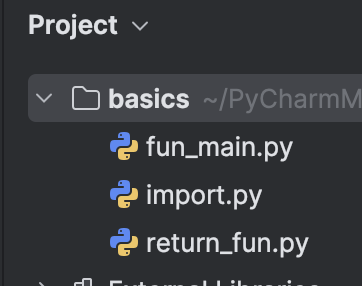
Below is my PyCharm setup while testing this:
PyCharm Project Structure
Why We Need the Main Block in Python
Every Python file has a special built-in variable called __name__.
Python sets it as:
- If the file is run directly,
__name__ == "__main__" - If the file is imported,
__name__ == "<filename>"
This difference decides what code runs automatically.
Without a main block
If we write this:
def greet(name):
    print(f"Hi, {name}")

greet("Rekha")
When run directly:
Hi, Rekha
When imported (problem):
Hi, Rekha
The print runs even when the file is imported , unwanted behavior.
What the Main Block Fixes
def greet(name):
    print(f"Hi, {name}")

if __name__ == "__main__":
    greet("Rekha")
Now:
Running the file → prints Importing the file → does NOT print
This keeps imported modules clean.
Testing in PyCharm Using Two Files
1. fun_main.py
def print_hi(name):
    print(f'Hi, {name}')

if __name__ == "__main__":
    print_hi("Dimple")
Running fun_main.py (Direct Execution)
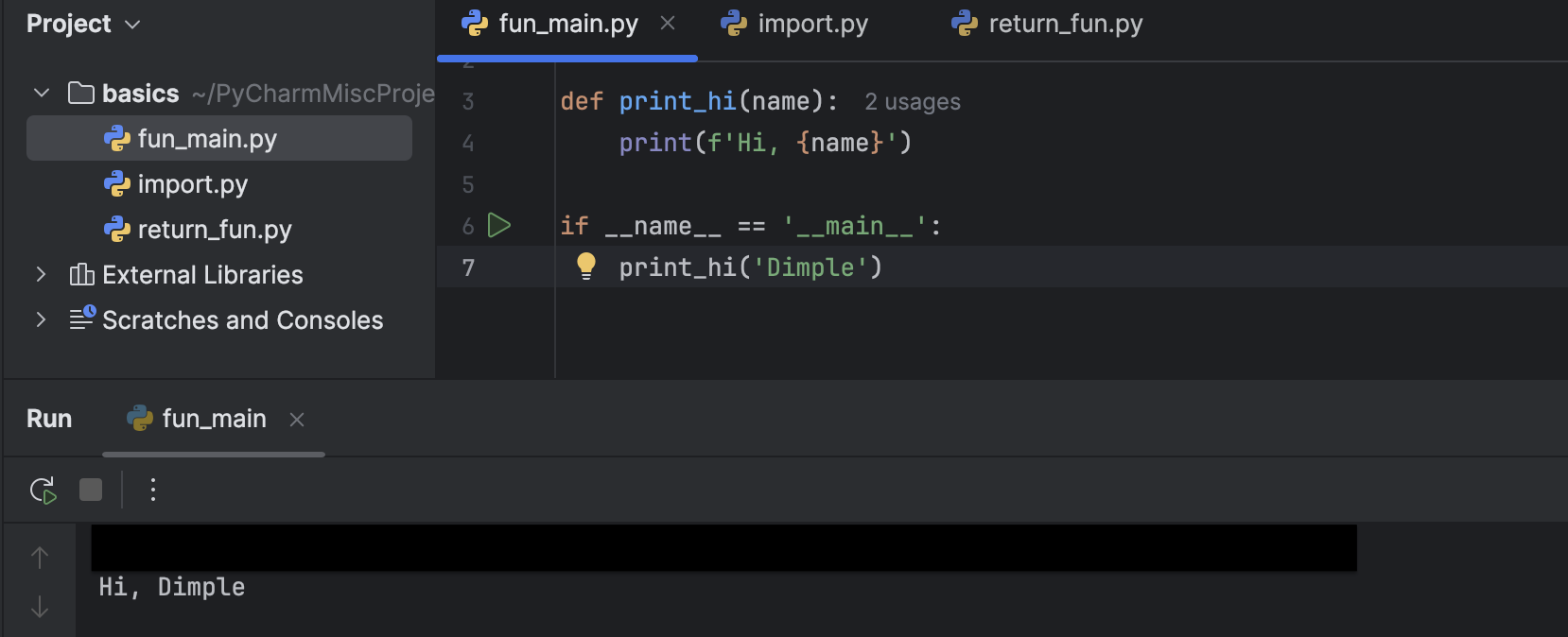
Output:
Hi, Dimple
2. return_fun.py
def greet(name):
    return f"Hello, {name}!"

# Calling the function
message = greet("Rekha")

print(message)
Running return_fun.py (Direct Execution)

Output:
Hello, Rekha!
Importing Two Files: Main Block vs No Main Block
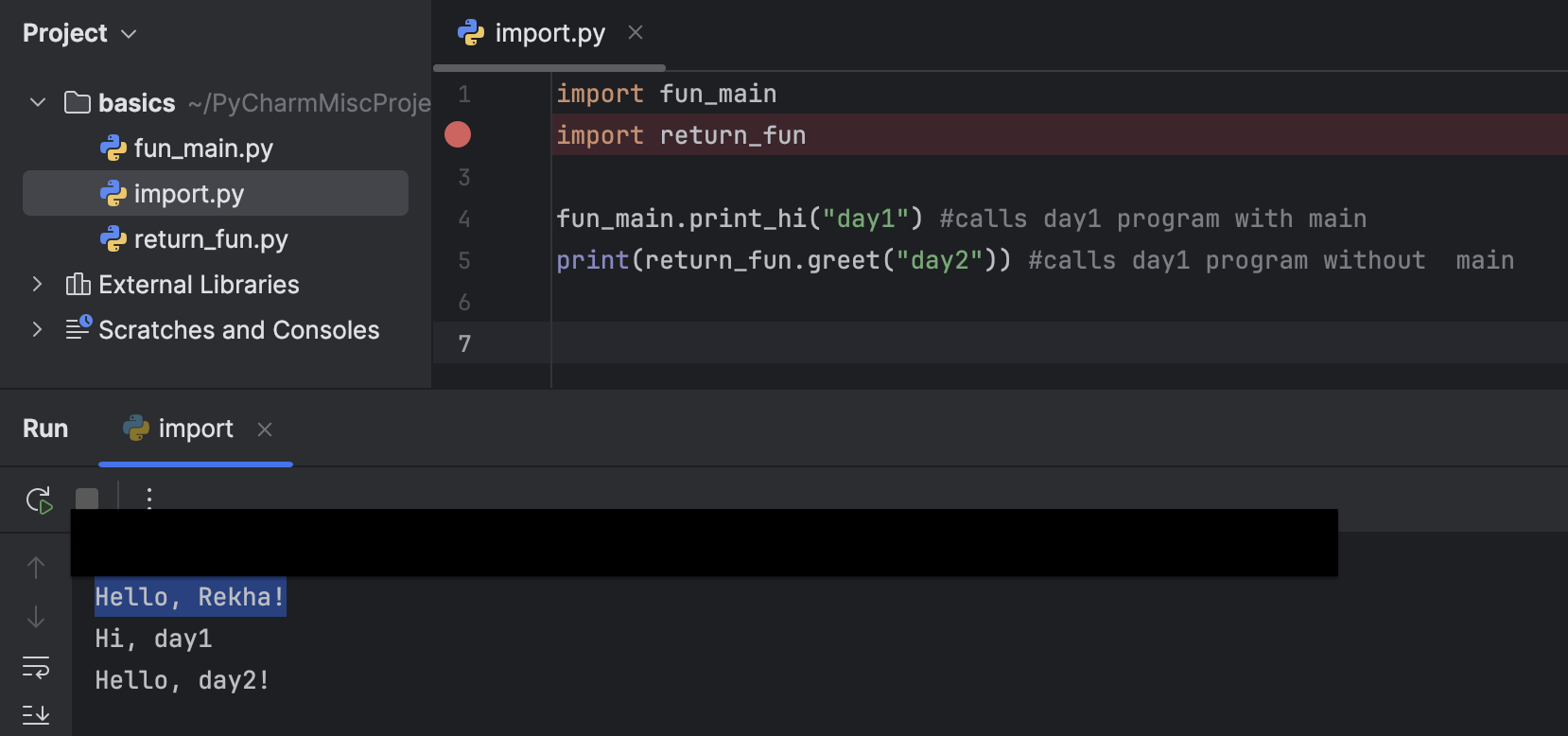
I tested this import example:
import fun_main
import return_fun

fun_main.print_hi("day1")         # file WITH main block
print(return_fun.greet("day2"))   # file WITHOUT main block
Output:
Hello, Rekha!
Hi, day1
Hello, day2!
Combined Output Screenshot
Summary
Code inside main runs only when the file itself is executed.
Code outside main runs during both direct run and import.
return only gives back a value — it does not print without print().
The main block prevents unwanted output when importing modules.
This makes Python code cleaner and reusable.